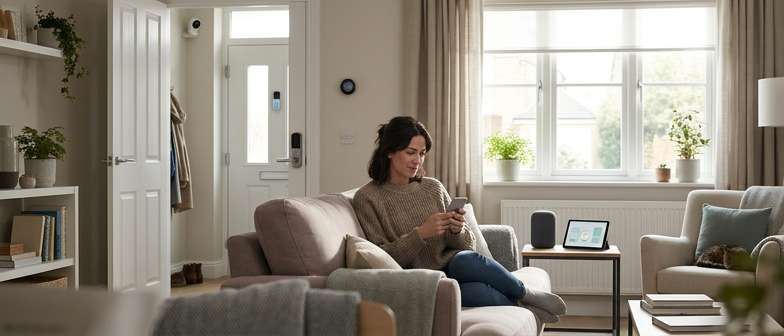
What Your Gadgets Quietly Know About You
Smart speakers, cameras, doorbells, plugs, and TVs often learn more than most people realize. From regular use alone, many devices can collect voice commands, audio clips, video, motion data, and even build rough maps of rooms and movement patterns. A connected TV might log what you watch through automatic recognition, while a smart thermostat or light switch can reveal when you are usually home, which rooms you use, and when you sleep or wake.
Looked at one by one, each data point can seem minor. Put together, they sketch a picture of daily life: when the home is empty, how many people live there, the kinds of shows or music they prefer, and the rhythm of work, rest, and leisure. Some systems link this information with account details, search history, or other products in the same ecosystem, building a longer‑term profile of habits and preferences.
Logs about occupancy, routines, and entertainment choices can feed into targeted advertising, recommendation tools, and broader profiling of lifestyle and interests. In some situations, detailed patterns of comings and goings could also increase exposure if they are ever improperly accessed or shared.
Information commonly moves through companion apps and then to remote servers, where it may be stored for long periods or combined with other records. Understanding what is collected, how long it is kept, and which features are optional helps keep more control over how much of home life quietly turns into data.
How different devices shape the picture
| Device type | What it often reveals in practice | Extra care that may be helpful |
|---|---|---|
| Voice assistants | Phrases spoken nearby, routine commands, language patterns | Review voice history, adjust retention, use mute often |
| Cameras and doorbells | Movement around doors and rooms, visitors, delivery habits | Limit sharing, delete old clips, avoid private spaces |
| Connected screens | Viewing choices, app usage, peak watching hours | Check recognition features, adjust ad personalization |
Making the Internet Box Less Exposed
The home internet box acts like the front desk of everything connected. If it is wide open, every device behind it is easier to scan or probe. Adjusting where it sits and how it is set up can cut down on unwanted attention.
Placing the box near the center of the home helps the signal stay inside instead of leaking strongly into the street or hallway. Keeping it away from windows and outer walls reduces how far the network name and signal can be reached from outside. Avoid hiding it in a metal cabinet, because that can weaken the signal and tempt people to increase power just to keep connections stable.
If guests need access, turning on a separate guest network keeps visitors off the main network where cameras, locks, and other devices sit. Even if a guest device is carrying something harmful, it has fewer paths into the rest of the setup. Guest networks also make it easier to change access later without touching the devices that stay in the home.
Tightening basic settings
Small setting changes often make a noticeable difference. Changing the Wi‑Fi password from something printed on a sticker to a long, unique phrase is one of the simplest steps. Using newer security options in the Wi‑Fi menu, when available, can better protect traffic moving between gadgets and the box.
Turning off remote management from outside the home, unless it is truly needed, closes a common door that automated tools search for. Automatic updates for the box, if supported, reduce the chance that known issues remain open for long stretches of time.
Some boxes offer simple controls for which devices can connect and how much bandwidth they get. Naming devices clearly in the list, then blocking unknown ones, makes unusual activity easier to spot and remove without deep technical knowledge.
When to consider extra separation
| Home situation | Simple network adjustment that may help | Why it can be useful |
|---|---|---|
| Many visitors or shared housing | Use a guest network for phones and laptops | Keeps core devices apart from frequently changing ones |
| Lots of cameras and sensors | Group critical devices on a single known network | Makes monitoring and troubleshooting more manageable |
Keeping Mics, Cameras, and Apps on a Need‑to‑Know Basis
Smart speakers, displays, and connected cameras are built to listen, watch, and respond. Left at default settings, that convenience can turn into near‑constant monitoring. A steady rule helps keep things balanced: if a device, microphone, camera, or app does not need certain data to do the job you want, it does not need access to it.
Turning “always listening” into “only when needed”
Many speakers and TVs include a physical mute button; using it when you are not actively giving commands keeps casual conversation out of routine recordings. In the companion app, look for options to turn off continuous listening, audio recordings, or long‑term voice history. For those who still want voice control, look for settings that keep as much processing as possible on the device rather than in ongoing logs.
Cameras deserve extra care because they capture views of your home and routines. Point indoor cameras away from beds and bathrooms, and disable audio if motion or basic video is all you need. In the app, limit who can see live feeds and clips, and remove shared access for people who no longer need it. Regularly clearing out old recordings, rather than letting them stay indefinitely, narrows what could be seen if an account is ever misused.
Calming down app permissions
Apps are often the quietest risk in the chain. Many request broad permissions by default, such as location, microphone, contacts, or photos, even when only a few of those are needed for daily use.
Opening your phone’s permission manager and dialing these back can make a difference. Aim for a simple pattern: each app only gets what directly supports the features you actually use. Turn off background location unless a feature clearly needs it, and check which apps can use your microphone or camera.
It can also help to review connected services, such as automation tools or voice platforms that have been granted access to your devices. Disabling connections you no longer recognize or use reduces how much of your home life can leak through a single compromised account or a setting you forgot about.
Turning Protection Into a Shared Family Routine
Making privacy a shared habit often sounds technical, but in everyday life it mostly comes down to small, repeatable routines that everyone at home understands and feels able to follow.
Talking about data in everyday language
Plain language goes a long way. Explaining what these devices collect can be as simple as saying “this speaker saves what we say to improve recognition” or “this camera keeps short video clips in an online account.” Keeping the tone calm and concrete avoids fear while still being honest.
A helpful household rule is that no one installs a new device or companion app without letting others know. When something new appears, set aside a few minutes together to walk through permissions, location access, microphone and camera options, and account sharing. Younger members can help find menus and settings on phones and tablets, while adults decide what is appropriate.
Making check‑ups a normal house task
Rather than a single setup session, treating privacy like tidying up can prevent bigger problems. Choose a simple rhythm, such as a quick monthly review, and look at a short checklist:
- Device passwords and who has account access
- Software and router updates
- Which features are switched on, such as remote viewing or voice history
- Who can see camera footage or dashboards in apps
If a device is no longer needed, sign out, erase stored data where possible, and reset it before putting it away, recycling, or passing it on. Over time, these repeated moves become regular household behavior rather than a one‑off “tech project” that only one person understands.
Q&A
-
What are the core Smart Home Device Privacy Basics I should know before buying new gadgets?
At minimum, check whether the device supports local processing, lets you delete history, and offers account‑level security like two‑factor authentication. Prefer brands with clear, readable privacy policies and short data‑retention timelines. Avoid devices that require broad data collection just to perform simple, clearly defined tasks. -
Which Home Network Security Tips help most for protecting connected device data?
Segment devices by risk, putting TVs, cameras, and locks on a separate Wi‑Fi from laptops and work devices. Disable unused remote‑access features, change default admin passwords, and use modern encryption such as WPA3 when available. Regular firmware updates and periodic device inventories close many avoidable gaps. -
How should I tune Voice Assistant Privacy Settings for better control without losing all convenience?
Disable storage of voice recordings where possible, or set minimal retention windows. Turn off features that use recordings for “improving services” or “personalized ads.” Use physical mics‑off buttons during conversations you consider sensitive, and restrict which third‑party skills or apps can access your voice assistant account. -
What practical steps improve Connected Device Data Protection beyond router Safety Best Practices?
Create unique, strong passwords for every device account and store them in a password manager. Turn off cloud backups you never actually use, and prefer end‑to‑end encrypted services when available. Review automation links, revoke unused integrations, and avoid reusing social‑login accounts across multiple smart‑home ecosystems. -
How can families build sustainable Family Digital Safety Habits around app permissions and everyday use?
Schedule short, recurring “tech check‑ins” to review app permission settings together, especially for children’s phones and tablets. Encourage a default stance of denying location, mic, and camera access until clearly necessary. Make it normal to discuss new apps or devices before installing them so expectations and boundaries are shared.